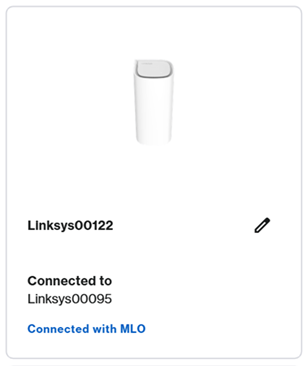


Multi-Link Operation (MLO) is supported on Wi-Fi® 7 devices. With MLO, WiFi 7 establishes simultaneous connections between a parent node and a child node or between the router and WiFi 7 devices. These links are established using the 2.4 GHz, 5 GHz or 6 GHz bands depending on what the router supports. This helps to improve data throughput, reduce latency, and make the overall connection more reliable.
This article will guide you on how to enable this feature for routers that support the LinksysNOW web interface such as the Linksys LN1600 and SPNM60.
Settings may vary depending on the model number of your device.
Follow these instructions to enable the MLO feature.
2. Go to Menu > Incredible-WiFi.
3. Make sure all WiFi names and password are the same, except for the Guest network.
4. Change the Security mode to WPA/WPA3 or higher, then click Save.
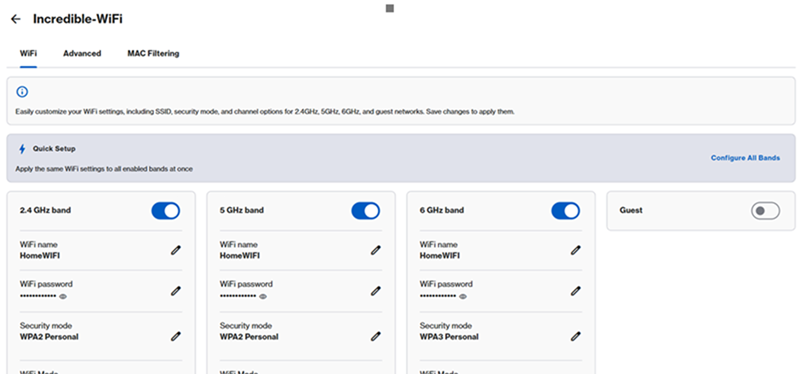
5. Child nodes will temporarily disconnect during this change, wait until all child nodes have a solid white light.
6. Click on Advanced and then toggle the switch to enable the Multi-Link Operation feature. Click Save.
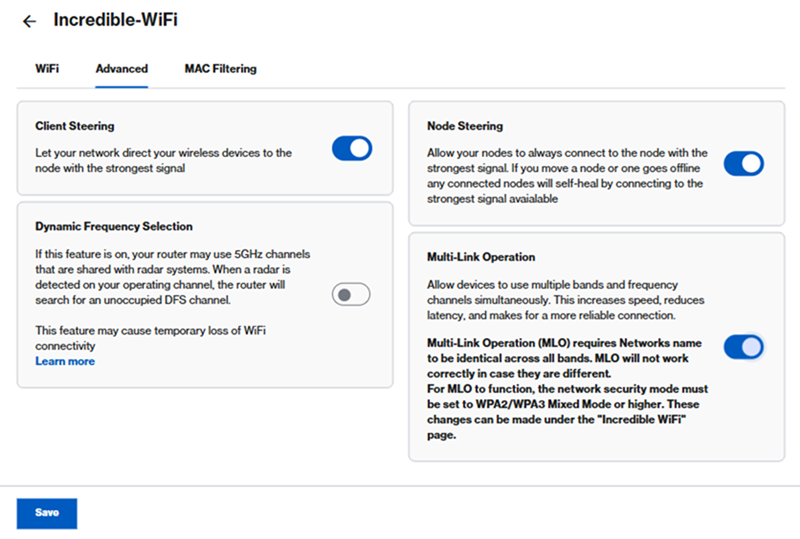
7. If you have additional child nodes, wait until the link lights on the child nodes turn solid white.
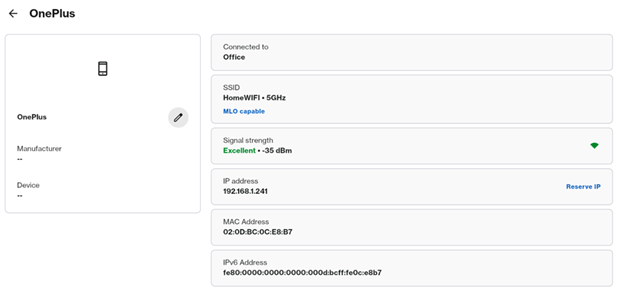
8. Now reconnect your MLO client to the network. In this example a OnePlus device was used. In Instant-Devices, you can also find your device, then click on it, it will have a MLO capable tag to it.
You can also go to Instant-Topology, wireless child nodes that support MLO will also have an MLO tag.